How to Use VPN with IPTV — Does It Actually Help
In this guide, we'll break down exactly what a VPN does for IPTV, when it helps, when it doesn't, and how to get started without the headaches.
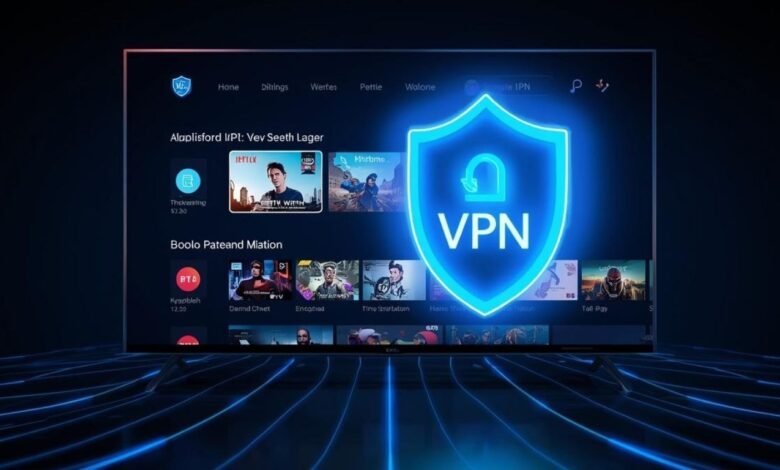
If you’ve been streaming IPTV for a while, you’ve probably heard someone say, “Just use a VPN.” But does that advice actually hold up? Does a VPN fix buffering, protect your privacy, or just make things slower?
The honest answer: it depends on how you use it.
A VPN can genuinely improve your IPTV experience — but only if you pick the right one and set it up correctly. In this guide, we’ll break down exactly what a VPN does for IPTV, when it helps, when it doesn’t, and how to get started without the headaches.
Whether you’re a complete beginner or just looking to fix a specific problem, this guide has you covered.
What is IPTV?
IPTV stands for Internet Protocol Television. Instead of watching TV through a cable box or satellite dish, you stream content over your internet connection — just like you do with Netflix or YouTube.
The difference is that IPTV services often include live TV channels, sports, movies, and on-demand content through a dedicated app or media player. Services like Hulu Live TV and Sling are legal IPTV platforms. There are also third-party IPTV providers operating in a gray area, which is where privacy concerns often come in.
Since everything runs through your internet connection, your ISP (Internet Service Provider) can see what you’re streaming — and that’s where a VPN becomes relevant.


What is a VPN and How Does It Work with IPTV?
A VPN (Virtual Private Network) encrypts your internet traffic and routes it through a server in a location of your choice. When you use a VPN, your ISP can no longer see what you’re doing online — they just see that you’re connected to a VPN server.
How does a VPN work with IPTV?
When you stream IPTV without a VPN, the data travels directly between your device and the IPTV server. Your ISP can see this traffic, and in some cases, they slow it down — a practice called throttling.
With a VPN turned on:
- Your traffic is encrypted before it leaves your device
- It passes through the VPN server first
- The IPTV service only sees the VPN server’s IP address, not yours
- Your ISP sees encrypted data going to a VPN server — nothing more
Are there any risks of using a VPN with IPTV?
Using a VPN itself is legal in most countries. However, if you’re using an unlicensed or pirated IPTV service, the VPN doesn’t make that legal — it just adds a layer of privacy. Always make sure you understand the terms of the IPTV service you’re using.
Why Use a VPN with IPTV — Does It Actually Help?
Short answer: yes, in several real and practical ways. Here’s what you actually get.
Improve privacy and security
Every time you stream IPTV, your IP address, device info, and viewing activity can be tracked. This includes your ISP, advertisers, and potentially the IPTV service itself.
A VPN masks your real IP address and encrypts your connection, so your activity stays private. For anyone using a third-party IPTV provider, this IPTV security layer matters a lot.
Reduce ISP throttling
ISPs often throttle streaming traffic, especially during peak hours. If you’ve noticed your IPTV stream suddenly drops quality at 8 PM, your ISP might be the culprit.
Because a VPN hides the type of traffic you’re sending, the ISP can’t target your stream for throttling. Many users report noticeably smoother playback after switching on a VPN for this exact reason.
Access IPTV while traveling
Some IPTV services are region-locked or work differently outside your home country. If you travel abroad and your IPTV app stops working or loses channels, connecting to a VPN server back home can restore access.
This is one of the most practical real-world uses of an IPTV VPN — especially for expats or frequent travelers.
Stay safe on public Wi-Fi
Streaming IPTV at a hotel, airport, or café means your data is going through a shared network. That’s a security risk. Anyone on the same network with basic tools can potentially snoop on your traffic.
A VPN encrypts everything, making it unreadable to anyone on that network. It’s a simple habit that makes a big difference.
Does a VPN Make IPTV Better or Slower?
This is the question most people actually care about.
A VPN adds a small amount of overhead because your data takes an extra hop through the VPN server. With a slow or distant server, this can increase buffering. But with a fast VPN and the right server, you’ll barely notice the difference.
Here’s the realistic breakdown:
- Without ISP throttling: A VPN might slightly reduce speed (usually under 10–15%)
- With ISP throttling: A VPN can actually improve speeds by bypassing the throttle
- Wrong server location: Can cause serious lag and buffering
- Right server location: Near-identical performance to a non-VPN connection
The key takeaway: a premium VPN with good infrastructure won’t wreck your stream. A free or overloaded VPN absolutely will.
How to Choose the Best VPN for IPTV
Not all VPNs are built for streaming. Here’s what actually matters when choosing the best VPN for IPTV.
Speed and stability
Look for VPNs with consistently fast servers and minimal packet loss. Providers like ExpressVPN, NordVPN, and Surfshark are regularly tested for streaming performance and hold up well.
Server locations
More server locations means more flexibility — both for bypassing throttling and for accessing region-specific content. Make sure the VPN has servers in the country your IPTV service operates from.
Device compatibility
Your VPN needs to work on whatever device you’re streaming from — whether that’s a FireStick, Android TV box, smart TV, or PC. Check that the VPN has a native app for your device before subscribing.
Security features
Look for:
- AES-256 encryption (industry standard)
- Kill switch (cuts internet if VPN drops, so your real IP is never exposed)
- No-logs policy (the provider doesn’t record your activity)
- DNS leak protection
Customer support
When your stream breaks at 10 PM, you don’t want to wait 48 hours for an email reply. Choose a VPN with 24/7 live chat support.
How to Set Up a VPN for IPTV (Step-by-Step)
Step 1: Choose a VPN provider
Pick a VPN that’s known to work well with streaming. ExpressVPN, NordVPN, and Surfshark are solid starting points. Most offer a 30-day money-back guarantee, so you can test them risk-free.
Step 2: Install the VPN app
Once you subscribe, download the app for your device. For most platforms (Windows, Android, iOS), this is as simple as going to the app store and installing it.
Step 3: Connect to a server
Open the VPN app, pick a server (choose one close to your location for best speed, or in a specific country if you need to access regional content), and hit connect. That’s it — your IPTV traffic is now protected.
Set up VPN on FireStick
The Amazon FireStick doesn’t support VPNs natively, but here’s how to get it working:
- Go to Settings > My Fire TV > Developer Options
- Enable Apps from Unknown Sources
- Download the Downloader app from the Amazon App Store
- Use Downloader to install your VPN’s APK file (get the link from the VPN provider’s website)
- Open the VPN app, log in, and connect
Most major VPNs now have official Fire TV apps directly in the Amazon App Store, which is even easier.
Set up VPN on a router
If you want every device in your home to use the VPN automatically (smart TV, gaming console, etc.), install the VPN on your router instead.
- Log in to your router’s admin panel (usually at 192.168.1.1)
- Check if your router supports VPN clients (look for OpenVPN or WireGuard support)
- Download the VPN configuration files from your provider
- Upload them to the router and save
- Connect to the VPN from the router settings
This is more technical but very effective — you only need to set it up once and everything is covered automatically.
Common IPTV VPN Issues and How to Fix Them
IPTV not working with VPN
Some IPTV services detect and block VPN traffic. If your stream stops working after enabling the VPN, try:
- Switching to a different server
- Enabling obfuscation mode (disguises VPN traffic as regular traffic)
- Contacting your VPN’s support for a streaming-optimized server
Buffering or slow speeds
- Connect to a server closer to your physical location
- Switch protocols — try WireGuard instead of OpenVPN (it’s faster)
- Restart the VPN app and reconnect
- Test your base internet speed without the VPN to rule out an ISP issue
VPN connection drops
This is where the kill switch matters. Enable it in your VPN settings. If the VPN drops mid-stream, the kill switch cuts your connection instead of exposing your real IP.
Also check your router’s settings — some routers terminate idle VPN connections. Disabling this option (often called “VPN passthrough timeout”) helps maintain a stable connection.
Can You Use a Free VPN for IPTV?
Technically yes. Practically, it’s a bad idea.
Free VPNs almost always have:
- Data caps (500MB–2GB per month — useless for streaming)
- Slow, overloaded servers (more buffering, not less)
- Limited server locations
- Questionable privacy practices (some sell your data to third parties)
If privacy and performance actually matter to you, a paid VPN at $3–5/month is worth every cent.
Do You Really Need a VPN for IPTV?
It depends on your situation:
- If you use legal IPTV services (Hulu Live, Sling, etc.) with a stable connection — you probably don’t need one, but it still adds privacy
- If you experience ISP throttling — a VPN can make a real, noticeable difference
- If you travel frequently — yes, a VPN is practically essential
- If you use third-party IPTV services — an IPTV VPN is strongly recommended for your privacy and security
Conclusion: Stay Private and Stream Safely with a VPN
A VPN for IPTV isn’t just marketing hype. It solves real problems: ISP throttling, privacy exposure, geo-restrictions, and security on public networks. The key is using the right one.
- A good IPTV VPN should be fast, have servers near you, support your device, and have a solid no-logs policy
- Set it up on your FireStick or router for the smoothest experience
- Avoid free VPNs — they cause more problems than they solve
- If your stream is already perfect and you have no privacy concerns, a VPN is optional
If you do decide to use one, start with a provider offering a money-back guarantee so you can test it with your specific IPTV setup before committing.
FAQ
What is an IPTV VPN?
An IPTV VPN is a VPN service used specifically while streaming IPTV content. It encrypts your connection, hides your IP address, and can help bypass ISP throttling for a smoother streaming experience.
Does a VPN help with IPTV buffering?
Sometimes, yes. If your ISP is throttling your streaming traffic, a VPN can bypass that and reduce buffering. However, if buffering is caused by slow internet or a weak IPTV server, a VPN won’t fix it.
Does a VPN slow down IPTV?
A high-quality VPN causes minimal slowdown (usually under 10%). Choosing a nearby server and using the WireGuard protocol helps maintain good speeds. A poor or free VPN, however, can make buffering significantly worse.
Is IPTV legal with a VPN?
Using a VPN is legal in most countries. Whether your IPTV service is legal depends on the service itself, not the VPN. A VPN doesn’t change the legal status of the content you’re watching.
Do I need a VPN for IPTV on FireStick?
Not required, but recommended. A VPN on FireStick protects your privacy, helps avoid throttling, and secures your connection on public Wi-Fi. Most major VPNs have official FireStick apps.
Which VPN server is best for IPTV?
Connect to a server closest to your physical location for the best speed. If you need to access content from a specific country, choose a server there. Always test a few server options to find the fastest one for your setup.